
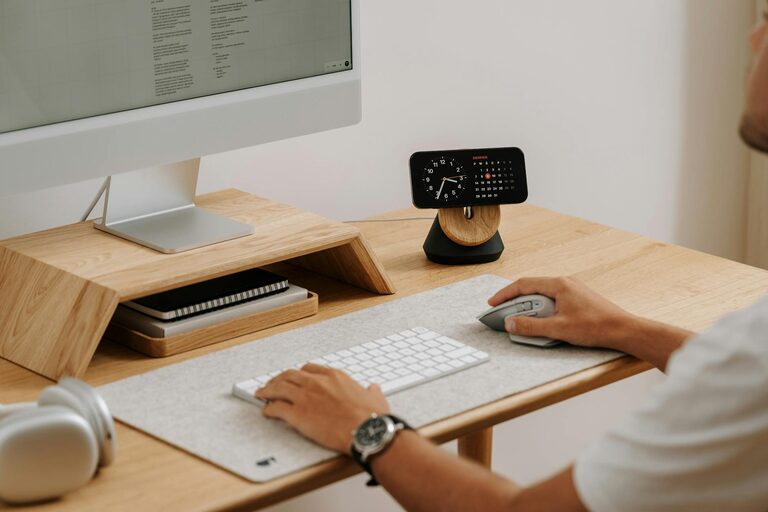
Creating a clutter-free home office is essential for maintaining focus and productivity throughout your workday. A neat and well-organized workspace not only helps you find what you need quickly but also promotes a calm and positive mindset. Whether you work from home full-time or occasionally need a dedicated spot for tasks, these effective tips can help you organize your home office space efficiently.
Why Organize Your Home Office?
Before diving into how to organize, it’s important to understand the benefits:
– Improved productivity: A tidy workspace means fewer distractions and more focus.
– Reduced stress: Clutter can be overwhelming; an organized environment helps clear your mind.
– Time-saving: Spend less time searching for items and more time working.
– Better professional image: If you take video calls, a neat background presents a professional look.
Start With a Clear-Out
The first step to organizing is decluttering. Often, unnecessary papers, supplies, and old equipment take up too much room.
Steps to declutter:
- **Sort your items:** Use categories like keep, donate, recycle, or toss.
- **Be honest:** If you haven’t used something in 6-12 months and it serves no essential purpose, consider letting it go.
- **Clear your desk:** Remove everything and only put back essentials.
- **Digitize where possible:** Scan important documents and store them on your computer or cloud instead of paper copies.
Designate Specific Zones
Dividing your office into different zones for particular activities can improve workflow and keep things orderly.
Common zones include:
– Workstation area: Desk, computer, keyboard, and writing tools.
– Storage area: Shelves, filing cabinets, or drawers for supplies and documents.
– Reference area: A place for books, manuals, or inspiration boards.
– Relaxation corner: A small comfy chair or cushions for breaks to refresh your mind.
Setting zones stops clutter from mixing and helps maintain organization.
Optimize Your Desk Space
The desk is your main working area, so making it functional and pleasant is key.
Tips for desk setup:
– Keep only essentials: Computer, phone, a notepad, and pens.
– Use desktop organizers: Trays, pen holders, and small boxes minimize mess.
– Cable management: Use clips or sleeves to prevent wires tangling.
– Limit personal items: A few small personal touches are fine but avoid overdecorating.
Use Storage Solutions Wisely
Good storage helps keep your office tidy and everything easy to find.
Storage ideas:
– Drawer dividers: Separate items like stationery and chargers.
– Label containers and folders: Clear labeling saves searching time.
– Vertical storage: Use wall shelves or pegboards to free desk space.
– File organizers: Keep papers sorted by project or deadline.
– Multi-purpose furniture: Storage ottomans or desks with built-in drawers add space without clutter.
Maintain a Filing System
Paperwork can quickly overwhelm a home office if not managed properly.
How to organize papers:
– Sort by category: Bills, receipts, work projects, personal documents.
– Keep current files handy: Store active projects in an accessible place.
– Archive older documents: Use labeled folders or boxes stored out of the way.
– Purge regularly: Schedule a monthly or quarterly paper cleanup.
Incorporate Digital Tools
Modern technology can reduce physical clutter and streamline tasks.
– Cloud storage: Services like Google Drive or Dropbox keep documents organized digitally.
– Task management apps: Tools like Trello, Todoist, or Asana help track projects and deadlines.
– Scanner apps: Quickly convert papers into digital files.
– Password managers: Avoid sticky notes by securely storing passwords online.
Personalize Thoughtfully
Your office should be comfortable and inviting without compromising tidiness.
– Choose simple decor that inspires you, like a plant or framed art.
– Ensure good lighting to reduce eye strain.
– Use ergonomic furniture to stay comfortable and healthy.
Regular Maintenance
Organization is ongoing. Set aside a few minutes each day or week to tidy your space.
Quick maintenance tips:
– Clear your desk at the end of the day.
– File or throw away loose papers immediately.
– Wipe down surfaces regularly.
– Review supplies and throw out outdated items.
Conclusion
Organizing a clutter-free home office is about creating a space that supports your work and well-being. By decluttering, setting zones, optimizing your desk, and maintaining your system, you can enjoy a productive and calm environment.
Take one step at a time, and remember that a few small changes can make a big difference in your workspace comfort and efficiency. Happy organizing!